
How to turn off Shortcuts notifications on iPhone
Stop the "Running your automation" pop-ups in a few taps. Kiwi Money keeps tracking your spending as usual.

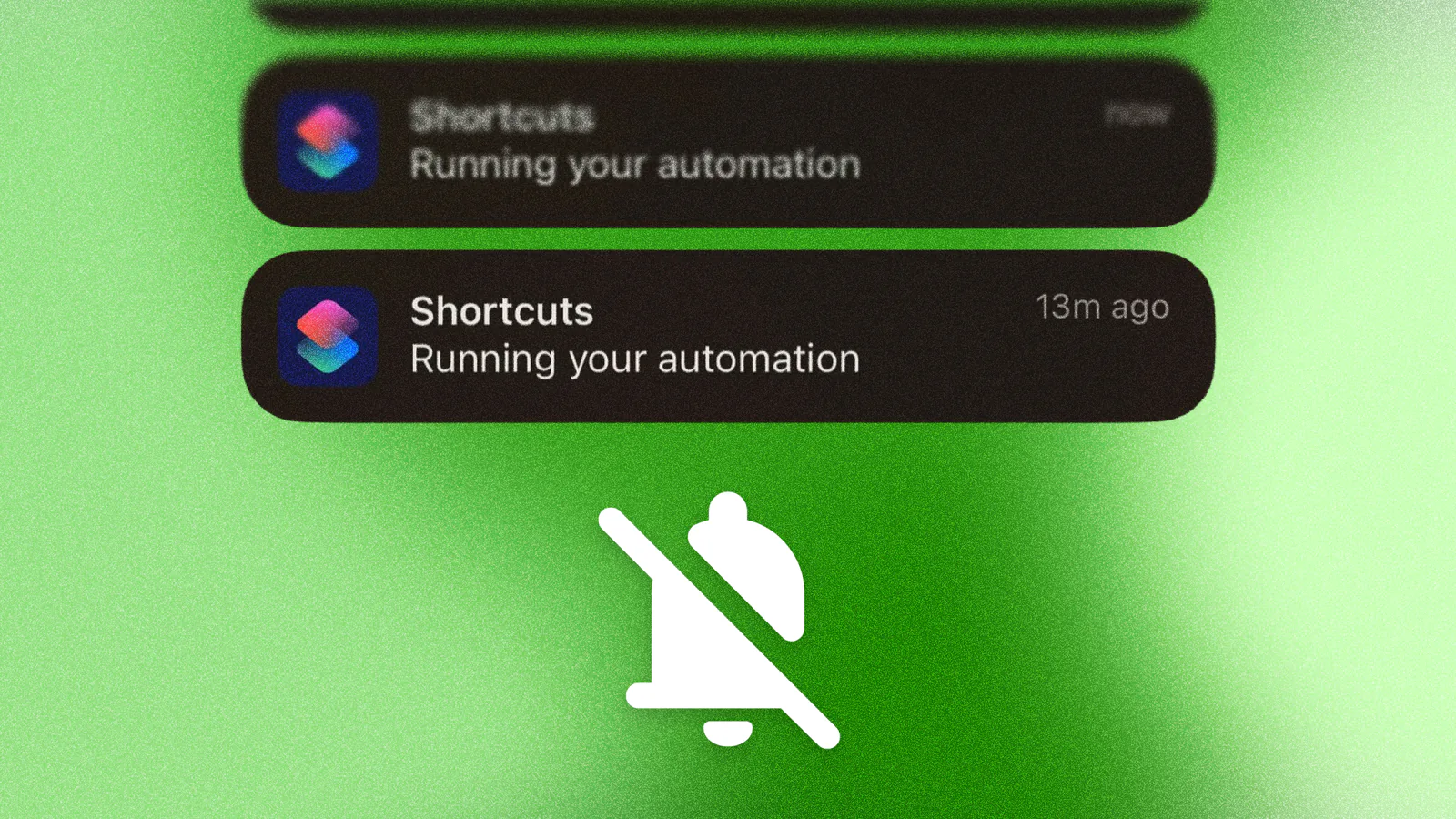
If you use Kiwi Money on an iPhone, you've probably seen a "Running your automation" pop-up at the top of your screen. It can show up several times a day, and it gets annoying fast.
Here's how to turn it off. It takes about a minute, and Kiwi Money keeps working exactly as before.
Why you're seeing these
Kiwi Money uses Apple's Shortcuts app on iPhone. Every time Shortcuts runs, Apple shows a pop-up to let you know.
The pop-up comes from Apple, not from us. And Apple doesn't give you a simple switch to turn it off. So we use a workaround in Screen Time instead.
How to turn them off
You're going to give the Shortcuts app a time limit of zero. This stops the pop-ups, but Shortcuts still runs in the background, so your transactions still get tracked.
Step 1: Open Screen Time
Open Settings and tap Screen Time.
If you've never used Screen Time, your iPhone will ask you to turn it on first. Go ahead.
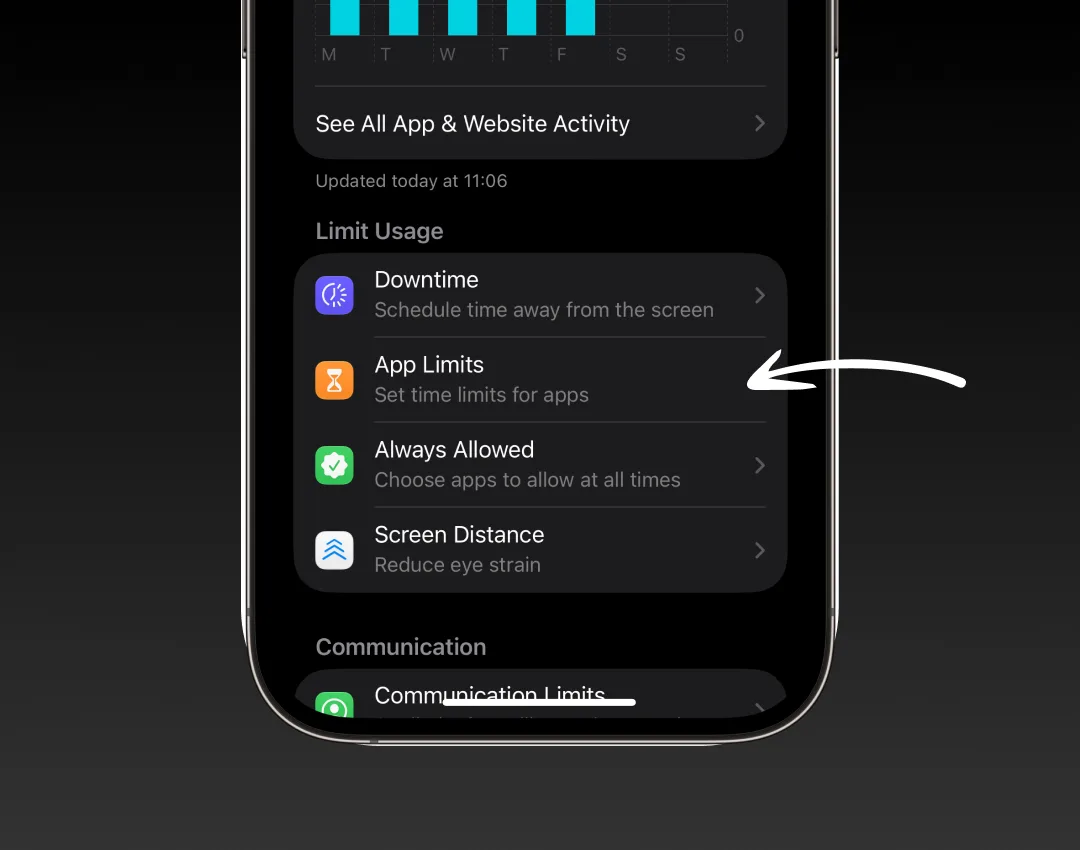
Step 2: Tap App Limits
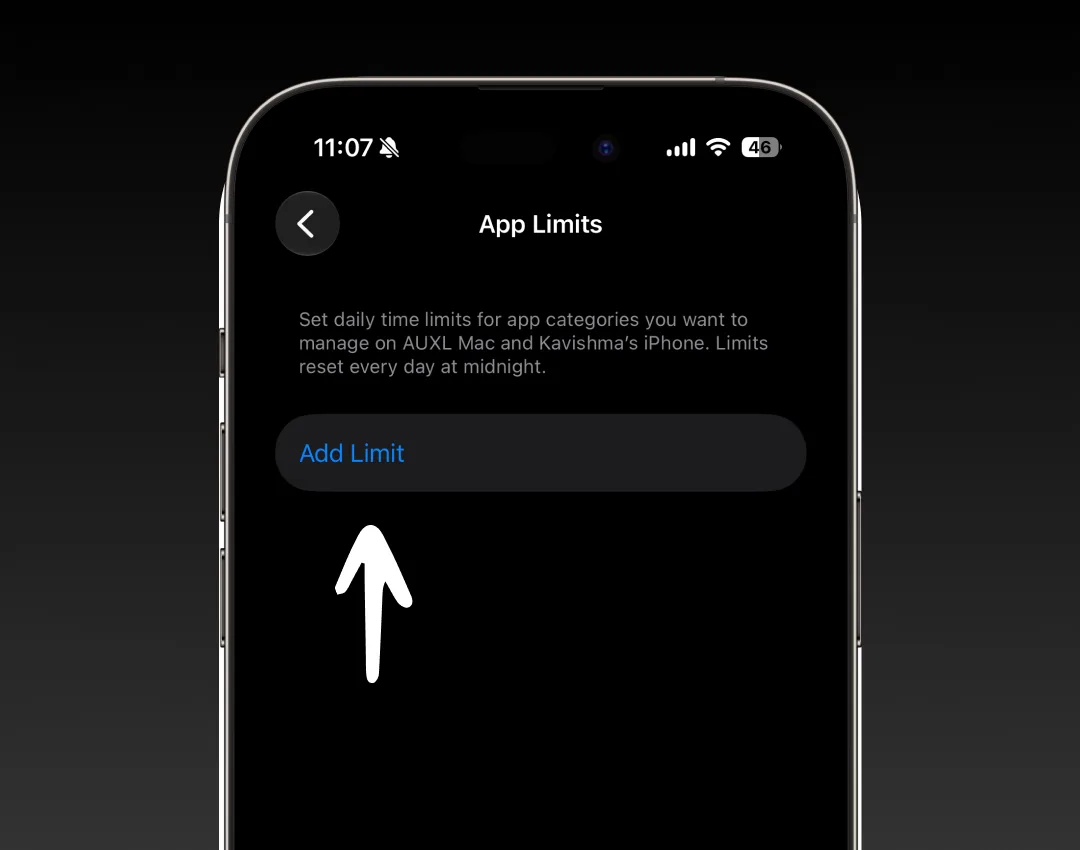
Step 3: Tap Add Limit
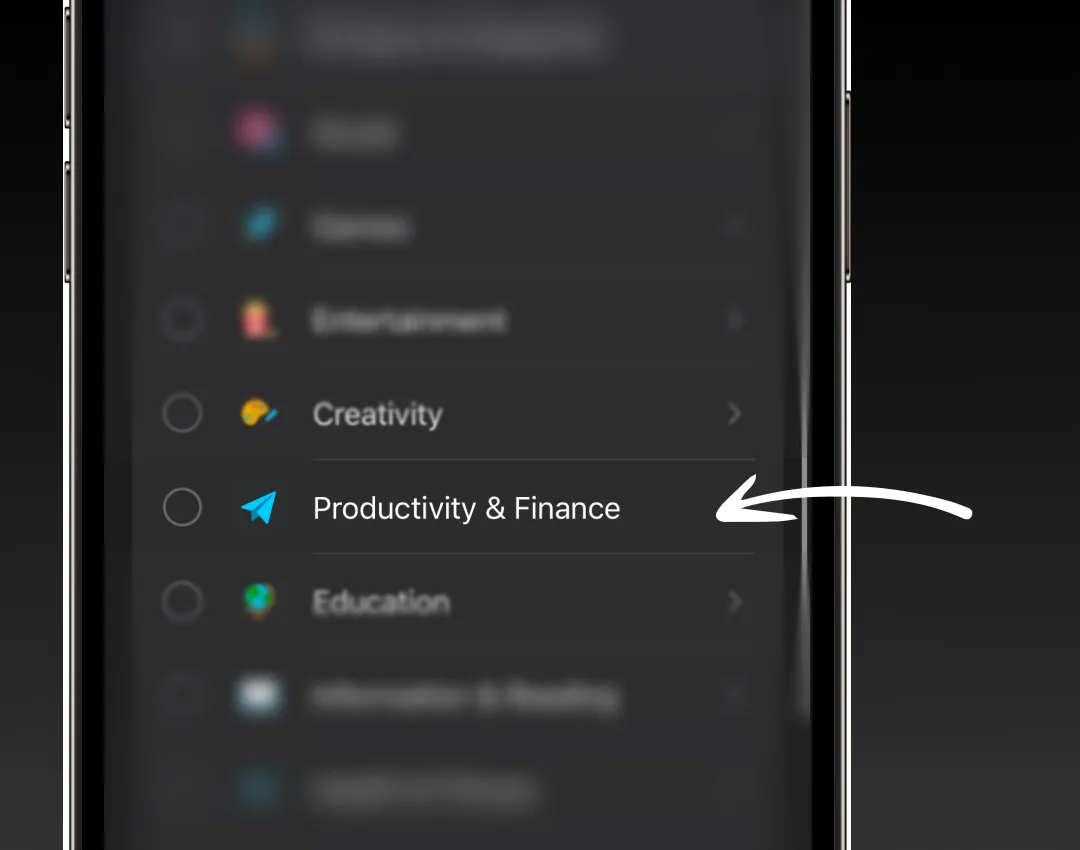
Step 4: Tap Productivity & Finance
Tap the words, not the circle next to them. The circle would limit every app in that group.
Step 5: Tick Shortcuts
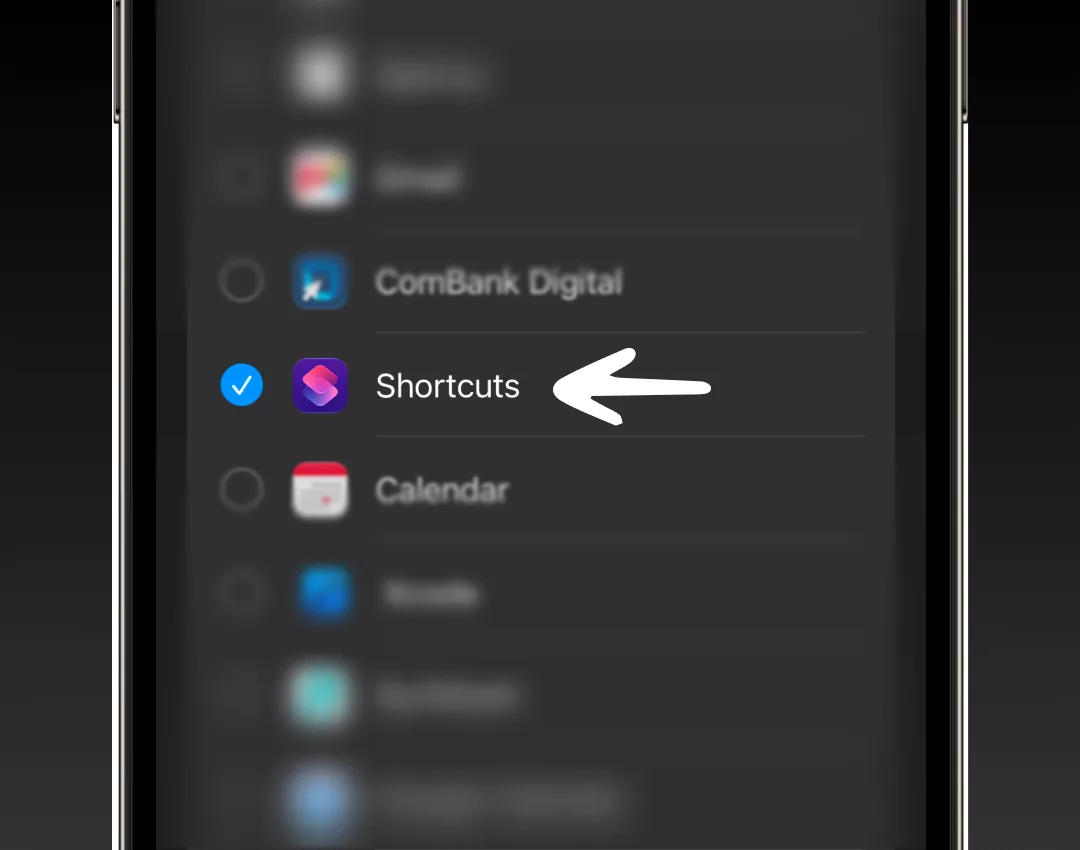
Step 6: Tap Next
It's at the top of the screen.
Step 7: Set it to 0 hours, 0 min
Then tap the blue tick at the top right.
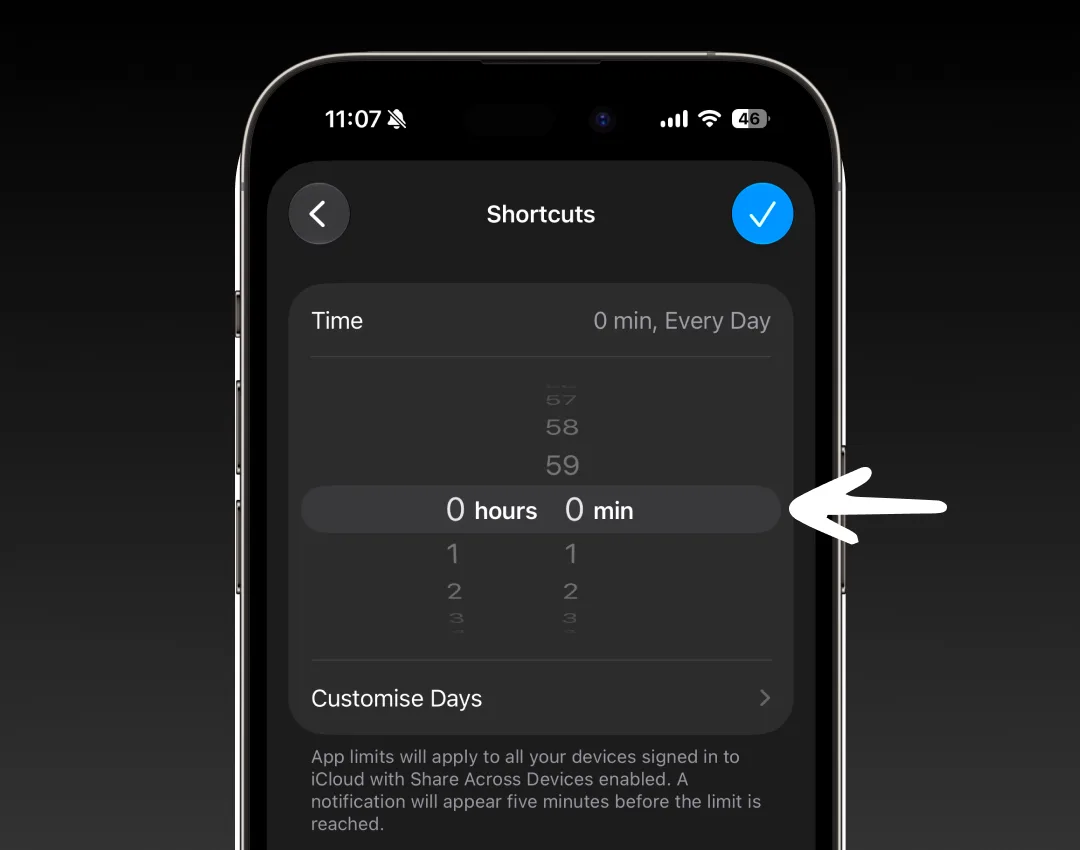
Step 8: Check it worked
You should see Shortcuts listed with 0secs, Every Day. That's it, you're done.
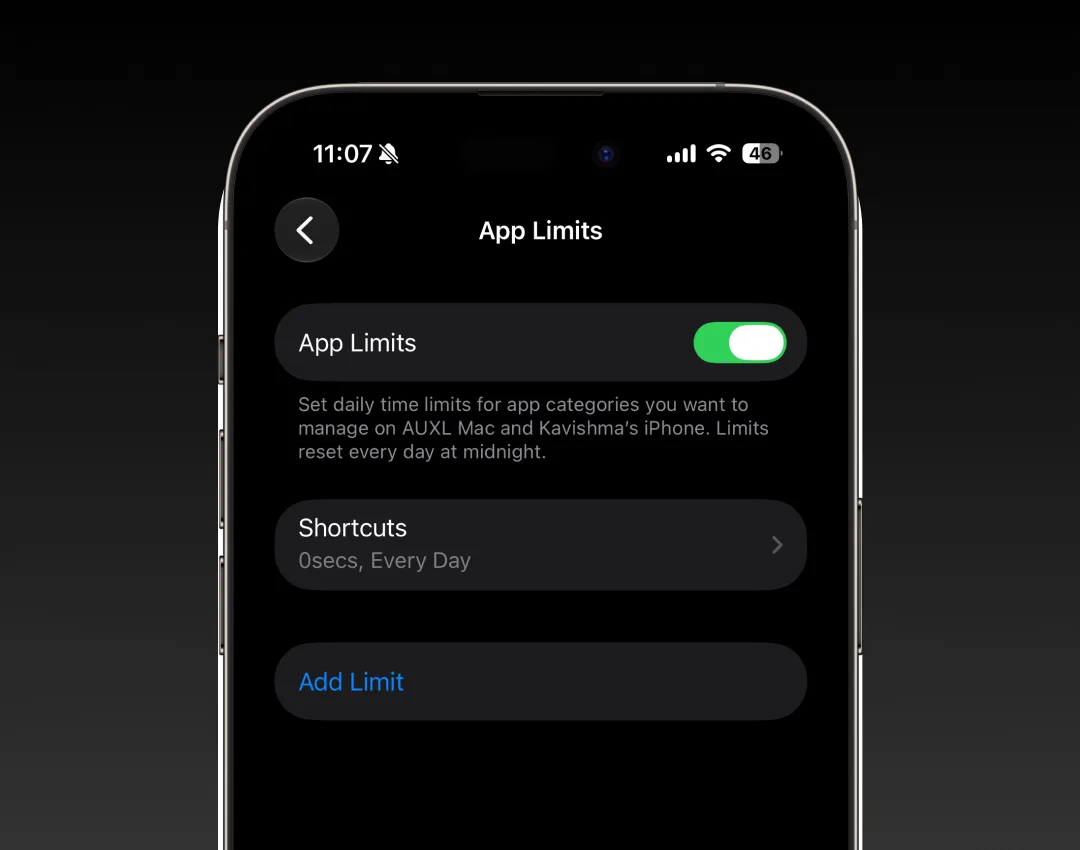
Good to know
- Opening the Shortcuts app. If you ever open Shortcuts yourself, your iPhone will say you've hit your limit. Tap Ignore Limit to get in. Most people never open it, so you probably won't notice.
- Kiwi Money still works. The limit only stops the pop-ups. Your transactions keep getting tracked as normal.
- It works for other apps too. Any app that uses Shortcuts shows the same pop-up, and this fix stops all of them.
- If the pop-ups come back. If an iOS update ever removes the limit, go to Settings > Screen Time > App Limits and add it again.
- To undo it. Go to Settings > Screen Time > App Limits, tap Shortcuts, and tap Delete Limit.
Still stuck? Email us at support@kiwi-money.com and we'll help.

